The game
Meet Mimic Party: A Free Browser Voice Game
Silly sounds, quick challenges, and a stage for everyone. Find your favorite way to play our free browser voice game.

Mimic Party is a free browser voice imitation game. Listen to a short sound, copy it with your microphone, and compare your timing and melody. Play on your own, invite 2–5 people into an online room, or pass one device around the sofa. Start at https://mimicparty.me; no download or account is needed.
What is Mimic Party?
Some sounds are easy to recognize and surprisingly difficult to repeat. A tiny musical flourish, a strange animal call, or a dramatic reaction becomes a small performance when your own voice has to do the work. That is the idea behind Mimic Party: your microphone becomes the controller, and each sound gives you something new to try.
You do not need to be a singer. The game compares relative melody, rhythm, attacks, and sound shape, so you can copy the pattern in your natural vocal range. A high voice and a low voice can follow the same contour. The fun comes from hearing how your interpretation lines up with the reference, then giving the next sound a go.
This article introduces the independent browser game at mimicparty.me. If you want the rules first, open our How to Play guide. If you are gathering friends on separate devices, jump straight to Mimic Party online rooms.
Listen, mimic, compare: the core game loop
Every voice challenge follows a short, readable sequence. You hear the complete reference, wait for the countdown, and record your own 4.5-second take. The result lets you compare your attempt with the original and see a similarity score.
- Listen for the whole shape. Notice where the sound begins, where it pauses, and how its melody rises or falls. The last little burst can matter as much as the opening.
- Copy it in your own voice. Follow the count-in and aim for the same pattern. Shouting louder does not automatically produce a better match.
- Replay and learn. Hear your recording alone, listen to the reference again, or review a mix with a quiet guide. Only your original microphone take is scored.
New players can choose “New here? Try one practice sound” on the solo game page. Practice gives you room to understand the controls without risking a life or adding a leaderboard result.
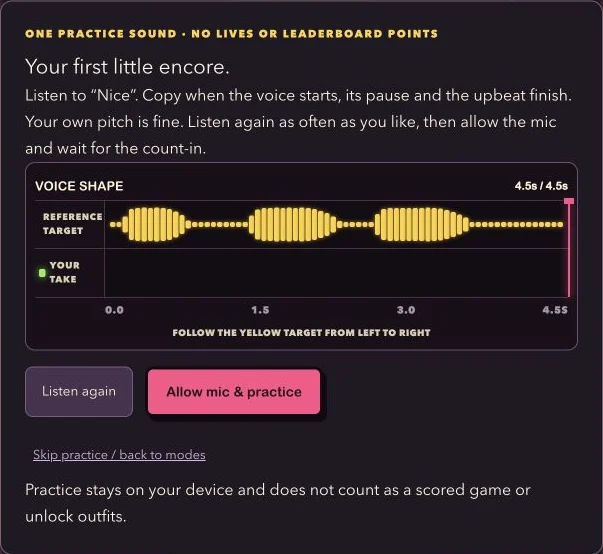
The yellow and green bars show loudness over time, not musical notes. Use them to spot late starts, missing pauses, or a take that ended early. Your ears are still the best guide to the reference melody.
Find your rhythm with solo challenges
The solo voice game at mimicparty.me/play is a useful place to start, whether you have a minute to spare or want a longer challenge. There are three main ways to play:
- Just Play: a three-sound quick set. Between sounds, Safe, Risk, and Focus routes change preparation time and party points. They do not change your raw voice similarity score.
- Survival: start with three lives and face rising targets for up to 50 rounds. Falling below the target or skipping a sound costs a life.
- Daily Streak: four sounds selected by the UTC date. Players using the same sound set receive the same daily selection; a new set starts at midnight UTC.
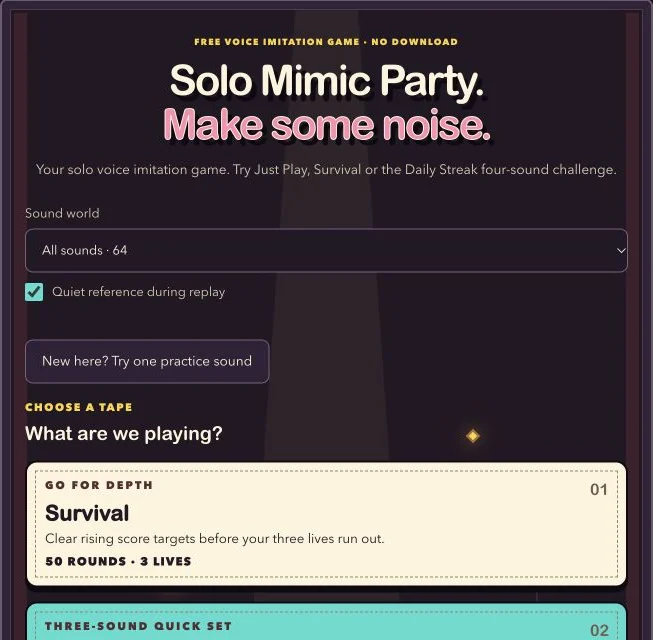
You can also choose a curated theme such as Reaction Studio, Wild Voices, Rhythm Lab, or Melody Club. The sound library explains the themed references, while mode guides help you choose the kind of session you want. Completing full solo sets can unlock extra looks saved in this browser; outfits do not improve your score.
Turn a voice challenge into a party
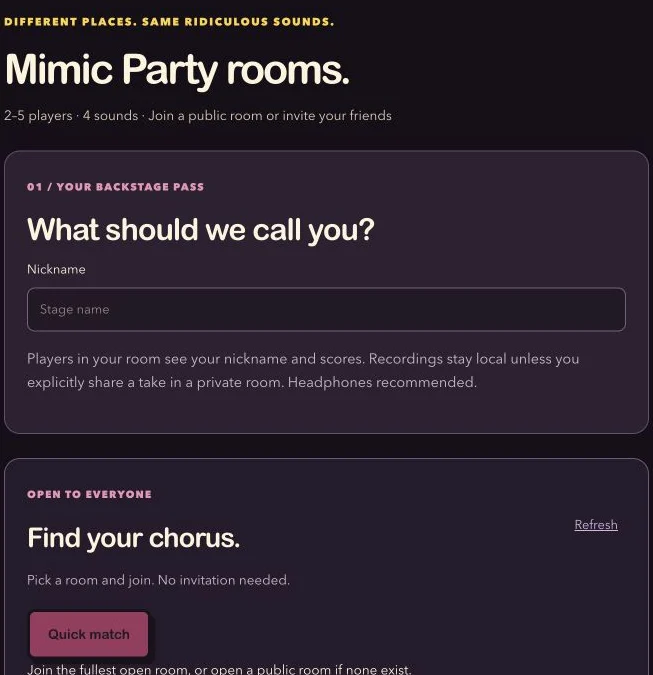
For friends in different places, mimicparty.me/online supports 2–5 players on separate devices. Join a waiting public room, or create a private room and send friends its invitation link or code. Everyone checks the same four sounds and taps Ready; the host starts once the group is ready.
Each player makes one take per sound. Your room compares numeric scores over four rounds, with a final total out of 400. There is no live voice chat. Private rooms offer an optional, separate way to share short takes for temporary replay after a round; public rooms remain score-only.
If everyone is in the same room, Pass the Mic supports 2–5 people taking turns on one device through four sounds. It is a handy choice for a small gathering when you would rather share one screen. Our How to Play Mimic Party Online with Friends article walks through the separate-device setup in detail.
What your score means, and where your voice goes
Mimic Party scores a few useful features of the performance: the timing and energy pattern, relative pitch movement, sound onsets, and active duration. It does not judge your voice identity or require the same natural register as the reference. Treat the number as feedback for a playful challenge rather than a verdict on singing ability.
Normal recording and scoring happen in your browser. Solo play, practice, and public-room scoring do not upload your voice. Publishing a community result is optional and sends your chosen nickname and numeric result.
Private-room replays are a separate choice. If you explicitly share a take, room members can listen temporarily. A shared take becomes unavailable after five minutes, a round change, leaving, or removal, and may expire sooner. Only share with people you trust, because someone listening could record playback. Read the privacy page for the complete explanation.
A few tips before your first sound
Use headphones so the reference is less likely to spill back into your microphone. Choose a quiet place, keep the microphone at a comfortable distance, and pay attention to the countdown. Matching a pause or a clean ending often helps more than trying to sound louder.
On a phone, open the site in a normal browser and keep the game tab in the foreground. If the microphone is blocked or silent, check site permission and the selected input device. The microphone help page and FAQ cover common setup problems. Try practice before joining an online round, where each completed take is locked.
Prefer to listen without recording? Try the sound guessing game. You can explore the site and play a listening challenge without granting microphone access.
Pick a stage and start playing
For a first visit, start with one practice sound and a Just Play set. For a call with friends, send everyone the online room link and leave a moment for sound checks before pressing Ready. For a shared sofa, choose Pass the Mic and take turns.
The main website is https://mimicparty.me. Your direct starting points are https://mimicparty.me/play for solo challenges, https://mimicparty.me/online for online multiplayer, and https://mimicparty.me/party for one-device parties. Pick the setup that fits your group, listen closely, and see what your voice makes of the next sound.
Mimic Party at mimicparty.me is an independent browser game, unaffiliated with FoliesAPP, Valve, or the Steam game of the same name.
Keep the party going.
How to play
How to Play Mimic Party Online with Friends
Create a room, invite your friends, and make some noise. A step-by-step guide to your first four-round online party.